02Sports Analytics Platform · Personal Project · 2026
Beach HandStats
Beach handball statistics, built for the sand.
01Overview
Overview
Beach HandStats is a Progressive Web App for recording beach handball matches and analyzing their statistics on tablet, phone and desktop. It is an independent product from HandStats, with its own repository, database and deployment, built around the beach version of the game.
It covers a club's full workflow: teams, rosters and opponents; match preparation; live capture under the IHF 2026 rules; season statistics and PDF reports; and a player portal, plays and practices.
- Type
- Personal Project
- Year
- 2026
- Platform
- Progressive Web App
- Focus
- Beach rules, offline-first
02The Challenge
The Challenge
Beach handball has its own scoring. Spectacular goals — spins, in-flights, and goals by the specialist or the goalkeeper — are worth two points, each period is won separately, a tied period is decided by golden goal, and split periods go to a shoot-out. A statistics tool for indoor handball models none of this.
Sanctions also work differently: a suspended player leaves the team one player short until the next change of possession, and a second suspension leads to disqualification.
Matches are played outdoors, often far from a reliable connection, and the same club may work from more than one device.
03The Solution
The Solution
The rules live in a pure, tested domain layer: scoring, periods, golden goal, shoot-out, sanctions and change of possession are implemented and covered by unit tests, so the interface only records what happened.
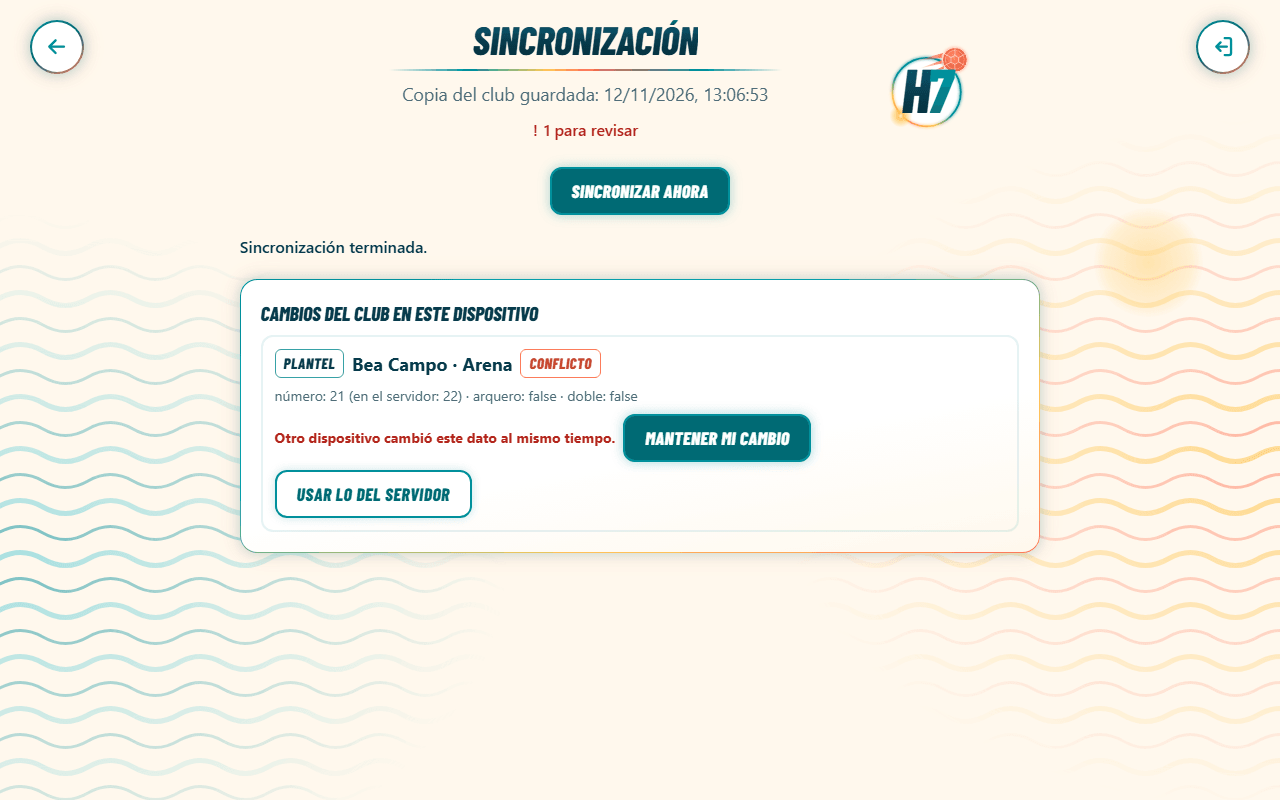
Capture is offline-first. Matches, events and pending changes are stored in IndexedDB, a custom service worker lets the app open without a connection, and a sync queue sends every change with an id and a revision so nothing is duplicated. Conflicts between devices are shown for review instead of being overwritten.
Around the match, the app supports roster and opponent management, post-match corrections with a revision history, season statistics and PDF exports, a player portal, and plays and practices.
04Product Workflow
Product Workflow
The product follows a match from start to finish: prepare the call-up, capture the game under beach rules, keep working offline and sync safely, analyze the season, and plan plays and practices.
Match Preparation
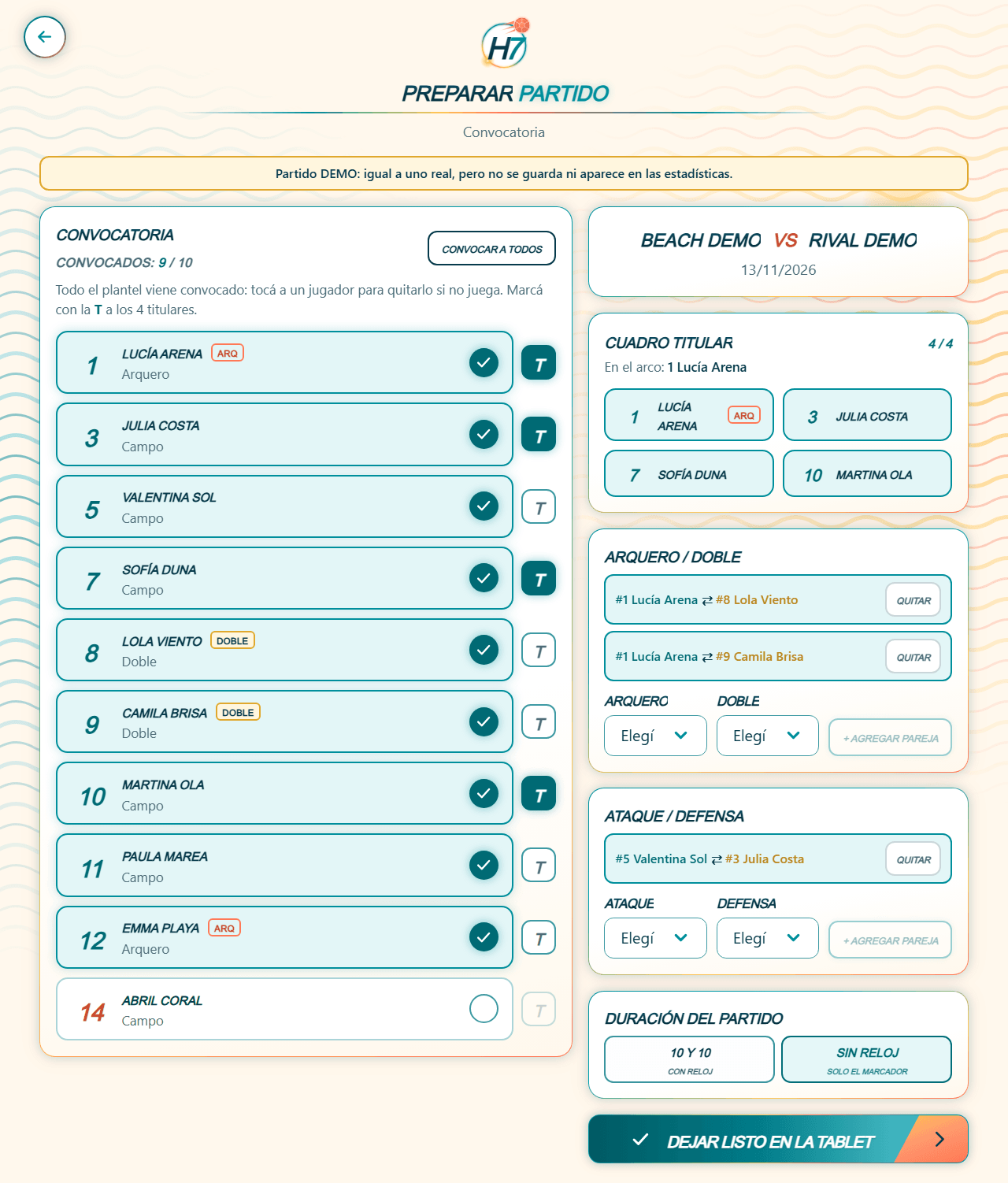
The whole roster is called up by default and the four starters are marked. Goalkeeper–specialist pairs and attack–defense substitution pairs are set before the game, and the match can run with a 10-and-10 clock or with the scoreboard only.
Live Match
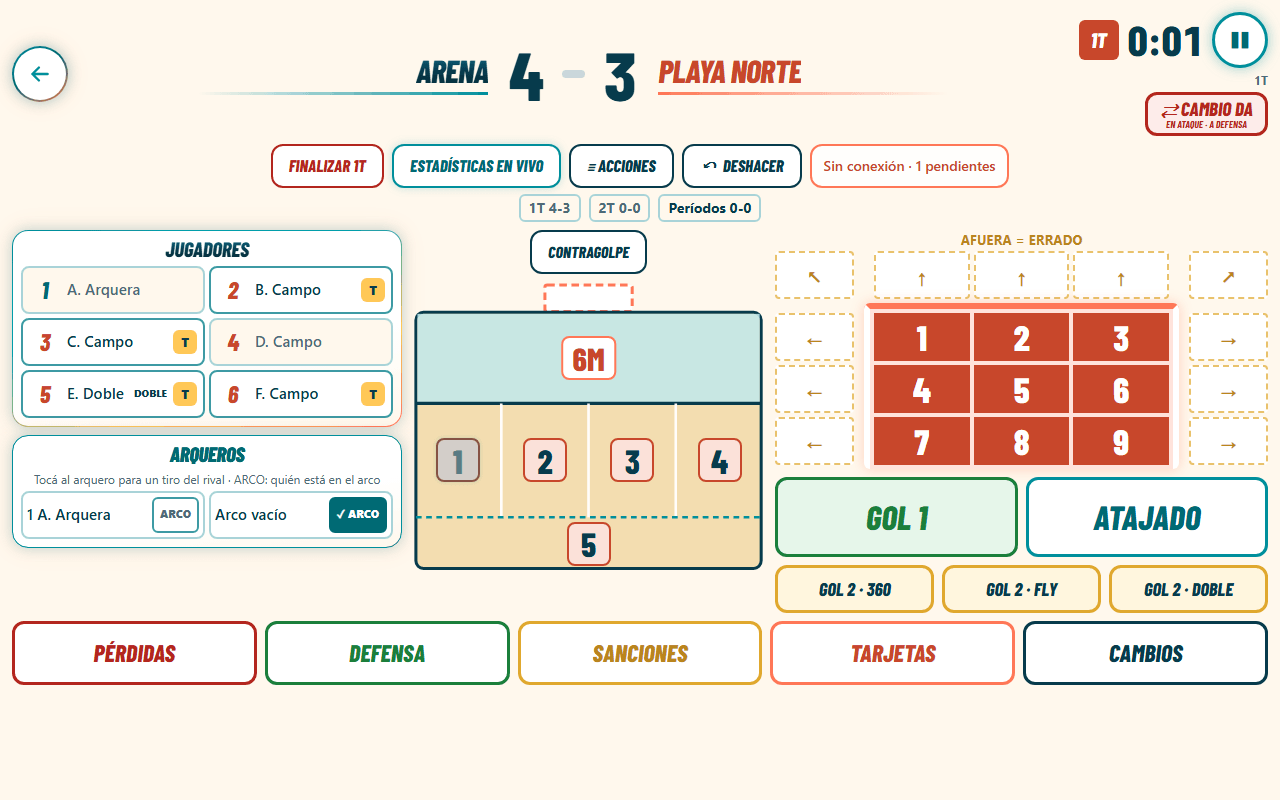
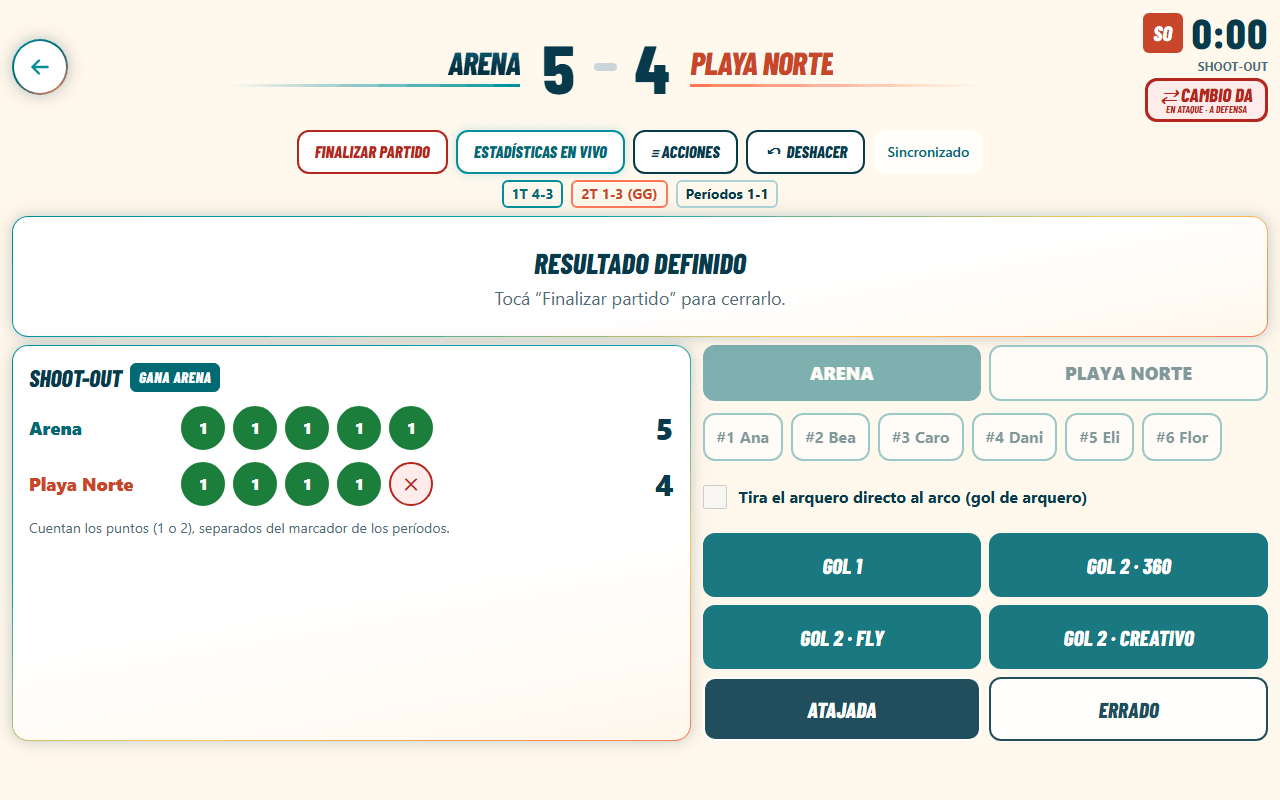
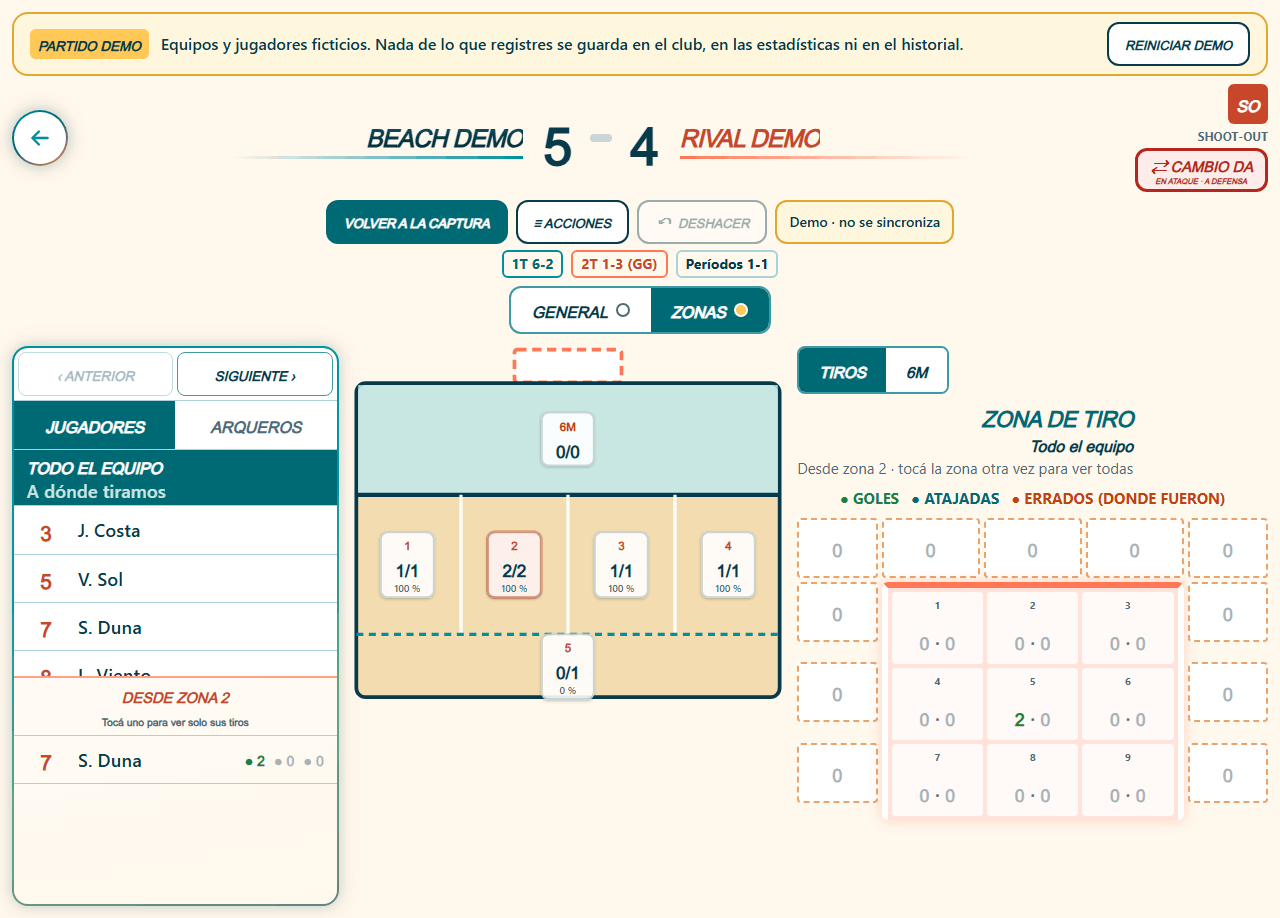
Each shot is recorded by court zone and goal area, with one-point goals and two-point goals for spins, in-flights and specialist goals. The console tracks each period separately, decides tied periods by golden goal and runs the shoot-out with its own scoring.
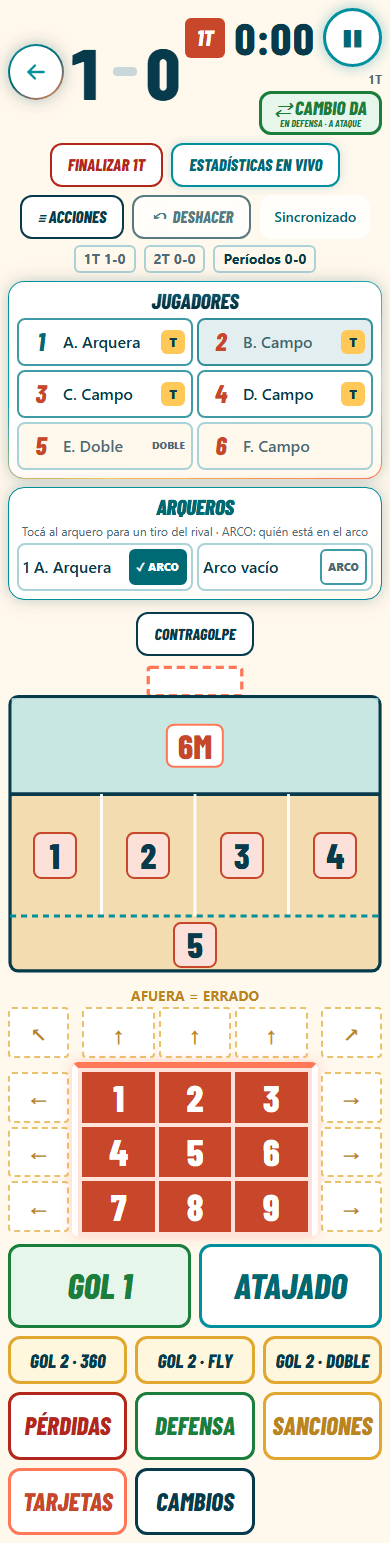
Turnovers, defense, sanctions, cards and substitutions have their own controls, the last action can be undone, and the same console adapts to a phone.
Offline & Sync
Matches can be created, prepared and captured without a connection. Pending changes sync automatically when the connection returns, and rejected events never count on the local scoreboard.
When another device changed the same data, the sync screen shows the conflict and lets the user keep their version or the server's.
Analytics
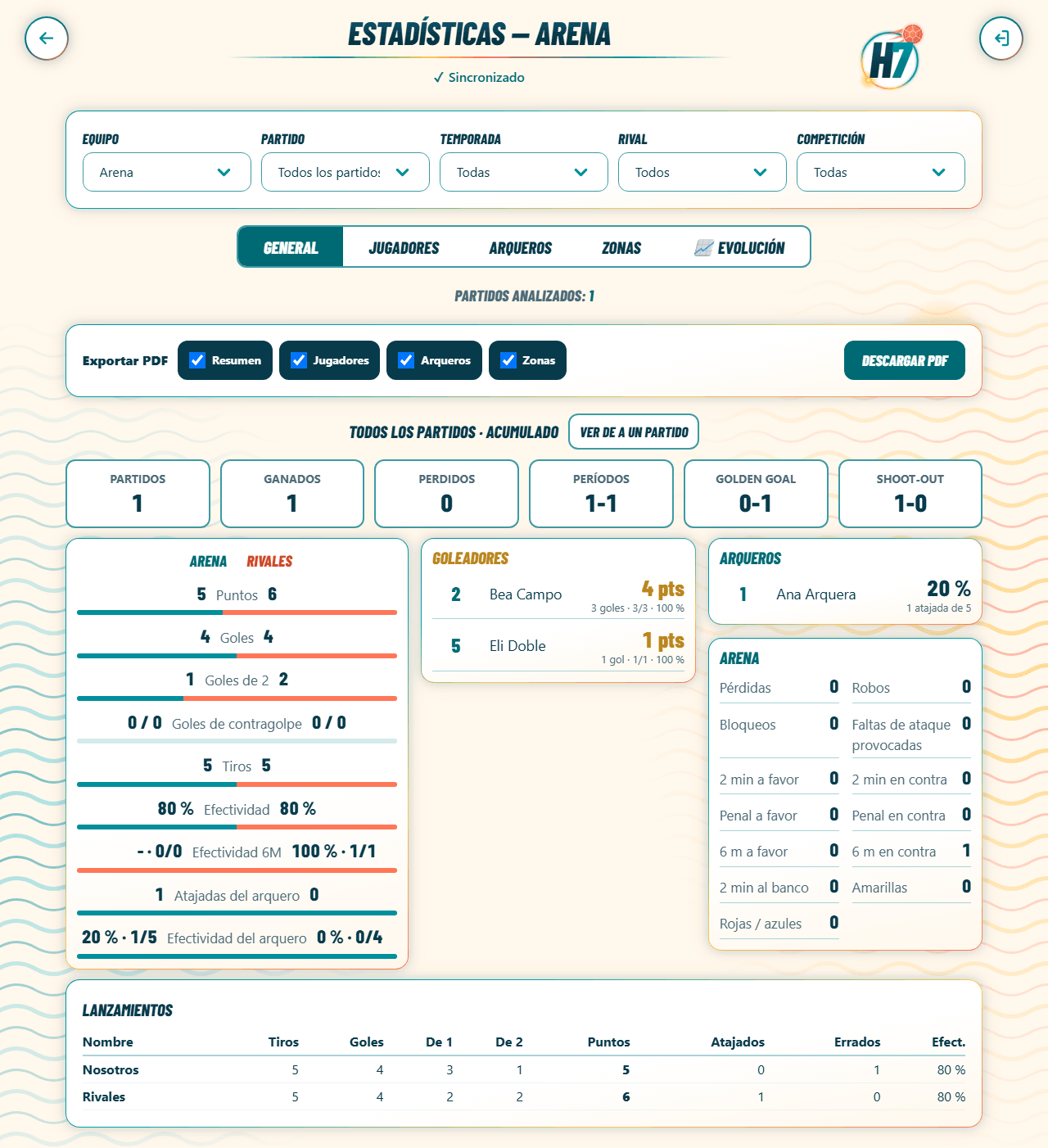
Statistics accumulate by team, match, season, opponent and competition, with general, player, goalkeeper, zone and evolution views and totals for periods, golden goals and shoot-outs.
Shots are broken down by court zone and goal area, and the same figures can be exported to PDF.
Training & Tactics
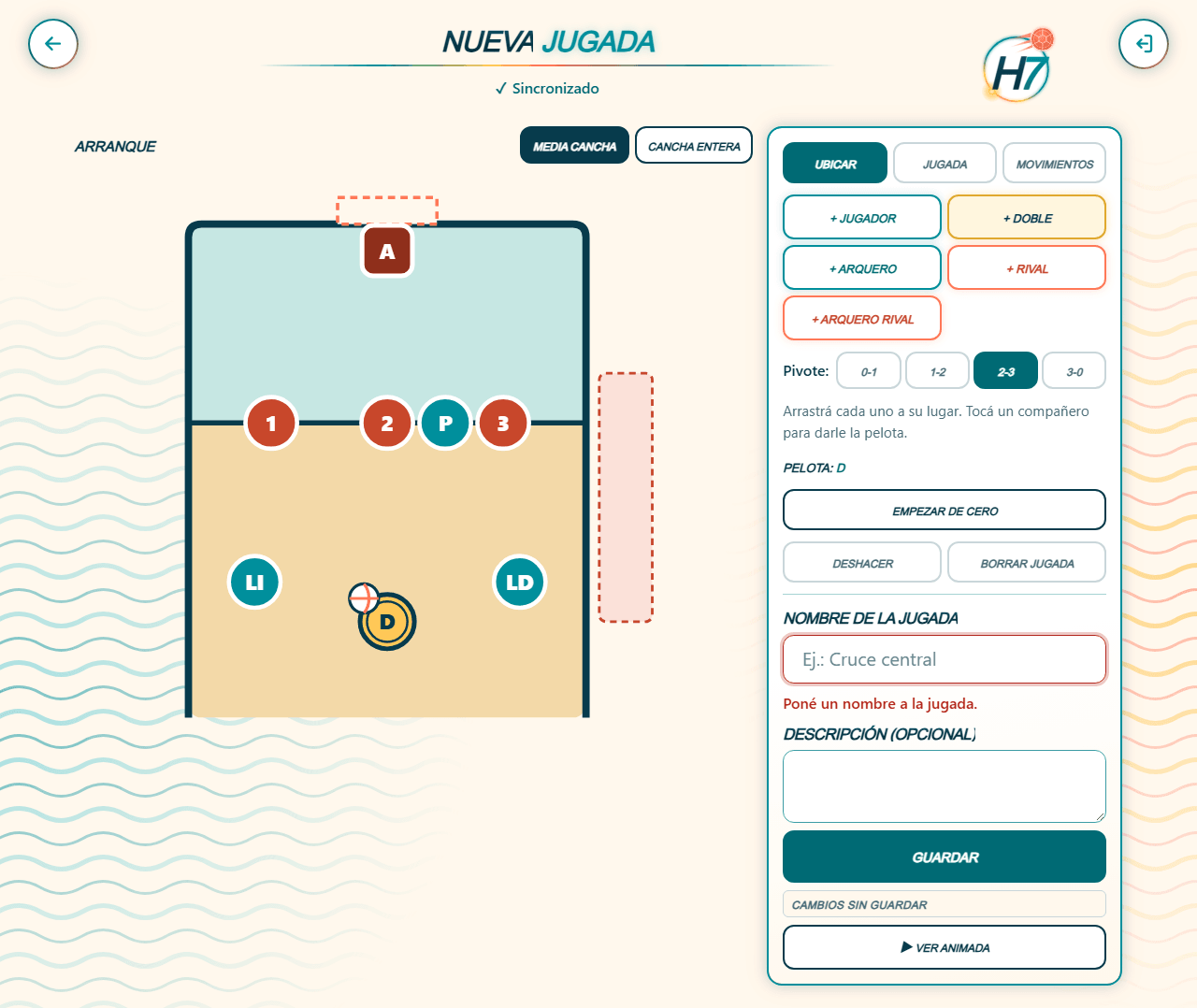
Plays are drawn on half or full court with players, specialists, goalkeepers and opponents, pivot formations and step-by-step movements, and can be watched animated.
Practices include exercises, attendance and history, and a player portal gives each player access to their own information.
05Technical Architecture
Technical Architecture
An installable Next.js client with a local-first data layer in IndexedDB, synchronized with Supabase through an idempotent queue. The rules live in a pure domain layer shared by the console and the statistics.
- Capture console
- IndexedDB · Dexie
- Idempotent sync queue
- Supabase · PostgreSQL
- Statistics & PDF
Client application
Installable PWA for tablet, phone and desktop.
- Next.js 16 App Router and React 19
- Custom service worker for offline start
- Updates that wait for pending changes
Domain rules
IHF 2026 beach handball rules as pure, tested code.
- Scoring, periods, golden goal and shoot-out
- Sanctions and change of possession
- Court and goal zones
Offline & synchronization
Local-first storage with safe, repeatable sync.
- Matches and events in IndexedDB (Dexie)
- Ids and revisions: no duplicates
- Conflict review between devices
Backend & quality
Supabase with row-level security and tests at every level.
- PostgreSQL, Auth and RLS policies
- Vitest unit tests
- Playwright end-to-end and pgTAP database tests
06Technology Stack
Technology Stack
- Frontend
- Next.js 16React 19TypeScriptTailwind CSS 4
- Offline
- Dexie (IndexedDB)Service workerPWA
- Backend & Data
- SupabasePostgreSQLRow-level security
- Reports
- jsPDF
- Testing
- VitestPlaywrightpgTAP
07Technical Challenges & What I Learned
Technical Challenges & What I Learned
Encoding a rulebook
Turning the IHF 2026 beach rules into a pure, tested domain layer kept the console simple and the statistics consistent.
Idempotent synchronization
Every change carries an id and a revision, so retries after a lost connection never duplicate events, and rejected events never count on the local scoreboard.
Conflicts as a user decision
When two devices edit the same data, the app shows the conflict instead of silently picking a winner.
Updating a PWA without losing data
A new version waits until pending changes are uploaded before reloading, and the service worker never touches the local database.