01Sports Analytics Platform · Personal Project · 2026
HandStats
Handball analytics built for the game.
01Overview
Overview
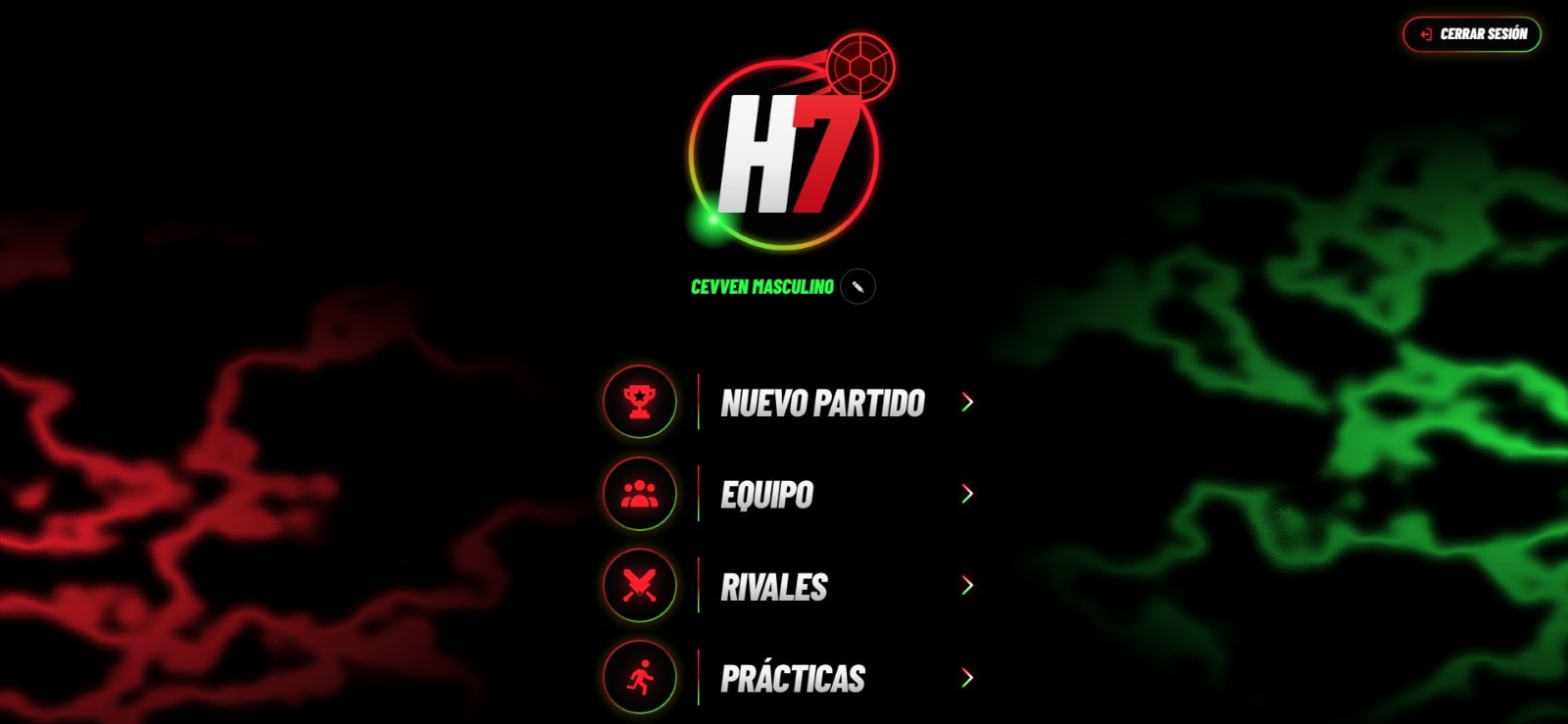
HandStats is a Progressive Web App for handball teams. It started as a tool to capture and analyze match statistics in real time, and has grown to support the wider coaching workflow: preparing the team, tracking matches live, analyzing the results, giving players access to their own information, and planning practices and tactical plays.
The application is built around a domain model specific to handball, with dedicated statistics for attack, defense and goalkeeping, and visual shot and court maps.
- Type
- Personal Project
- Year
- 2026
- Platform
- Progressive Web App
- Focus
- Offline-first match tracking
02The Challenge
The Challenge
Handball is a fast game. Shots, saves, turnovers and defensive actions happen in quick succession, and they need to be recorded as the match unfolds without losing track of play.
General-purpose tools such as spreadsheets are not designed for that pace, or for the specific statistics that matter in handball, like goalkeeper performance and shot locations.
Connectivity at sports venues is often unreliable. A tool that depends on a stable connection risks losing data at exactly the moment it is being captured.
Match statistics are also only part of a coach's work. Preparing the squad, running practices and teaching tactical plays belong to the same cycle, and benefit from working with the same players and the same data.
03The Solution
The Solution
HandStats is designed around the match itself. A dedicated live-tracking interface keeps event capture focused, while the data model records attack, defense and goalkeeper actions together with court and shot positions.
Match tracking is offline-first: events are captured on the device during the game and synchronized automatically once connectivity is available, so the same workflow works with or without a network.
Around the match, the same team, players and court model support preparation, analytics, a player-facing portal, and practice and tactics planning.
04Product Workflow
Product Workflow
The product follows the coaching cycle: prepare the team and the match, capture what happens during the game, analyze the resulting statistics, give players access to their information, and plan practices, exercises and tactical plays.
Match Preparation
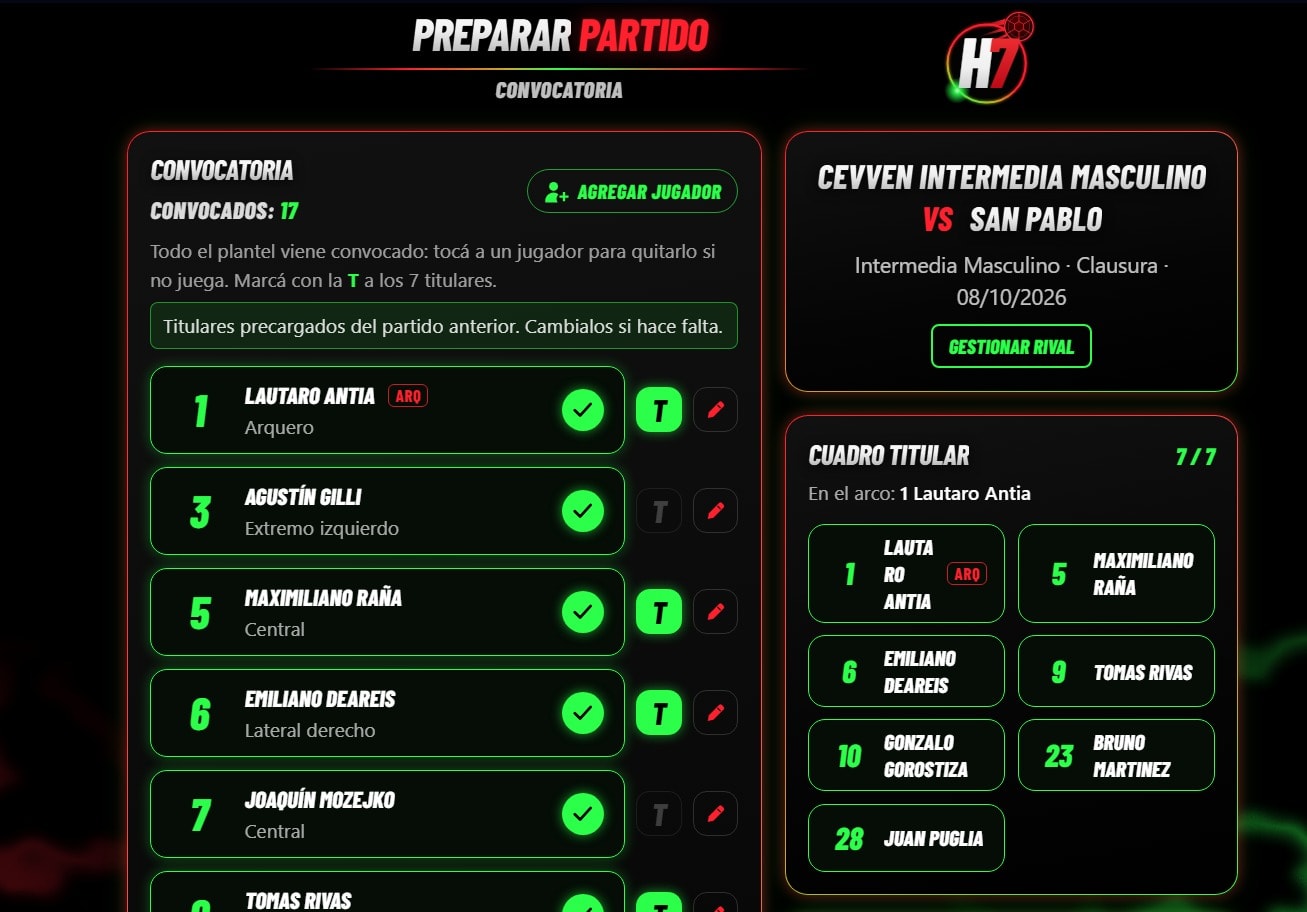
Each match starts with the call-up. The whole squad is called up by default: players who won't play are removed and the seven starters are marked, with the previous match's starters preloaded. The fixture card shows the opponent, competition and date, and links to the opponent's management.
Live Match
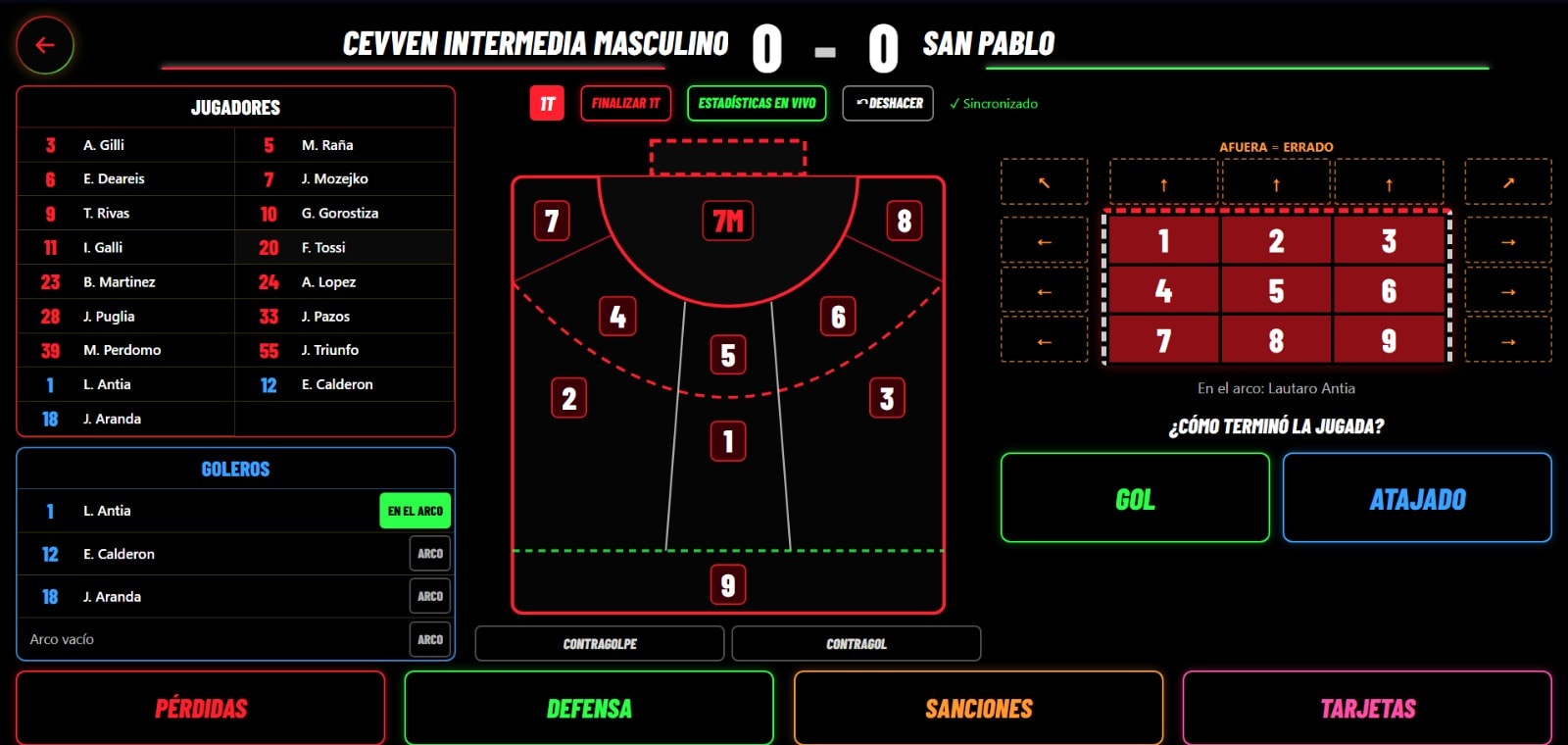
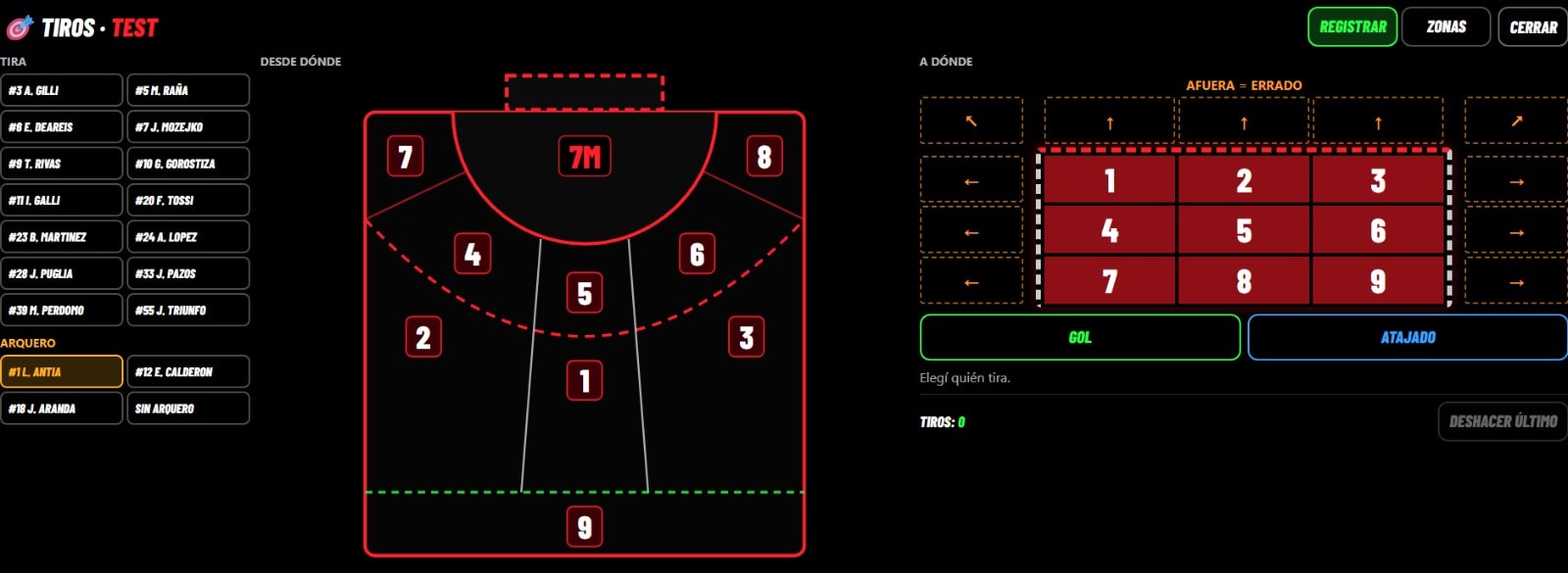
During the game, each shot is recorded by court zone and goal area, with its outcome and the goalkeeper in goal. Turnovers, defensive actions, sanctions and cards have their own controls, the last action can be undone, and each half is closed from the same screen.
Capture is offline-first: events are stored on the device as they happen and synchronized automatically, with the sync status always visible.
Analytics
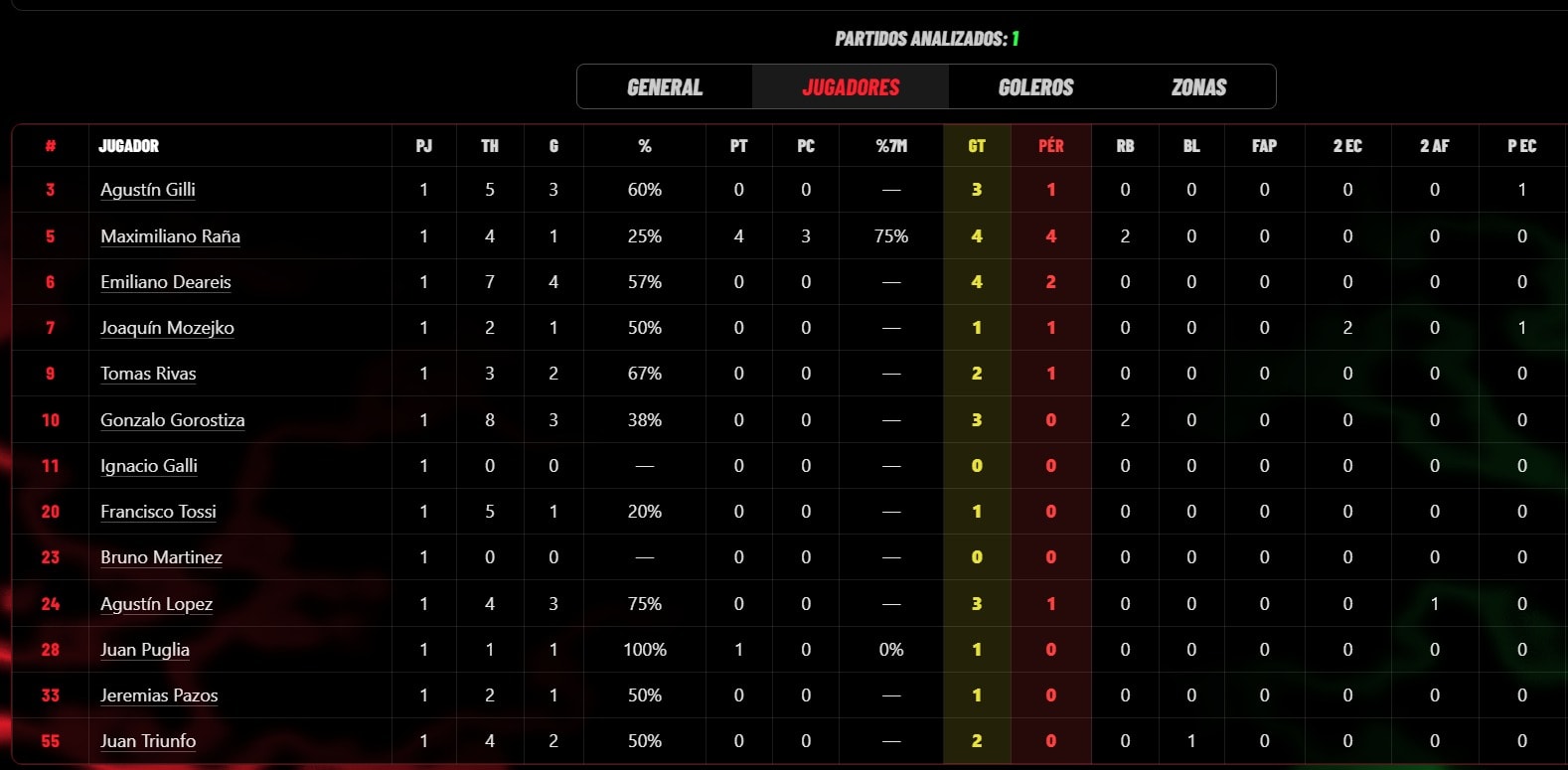
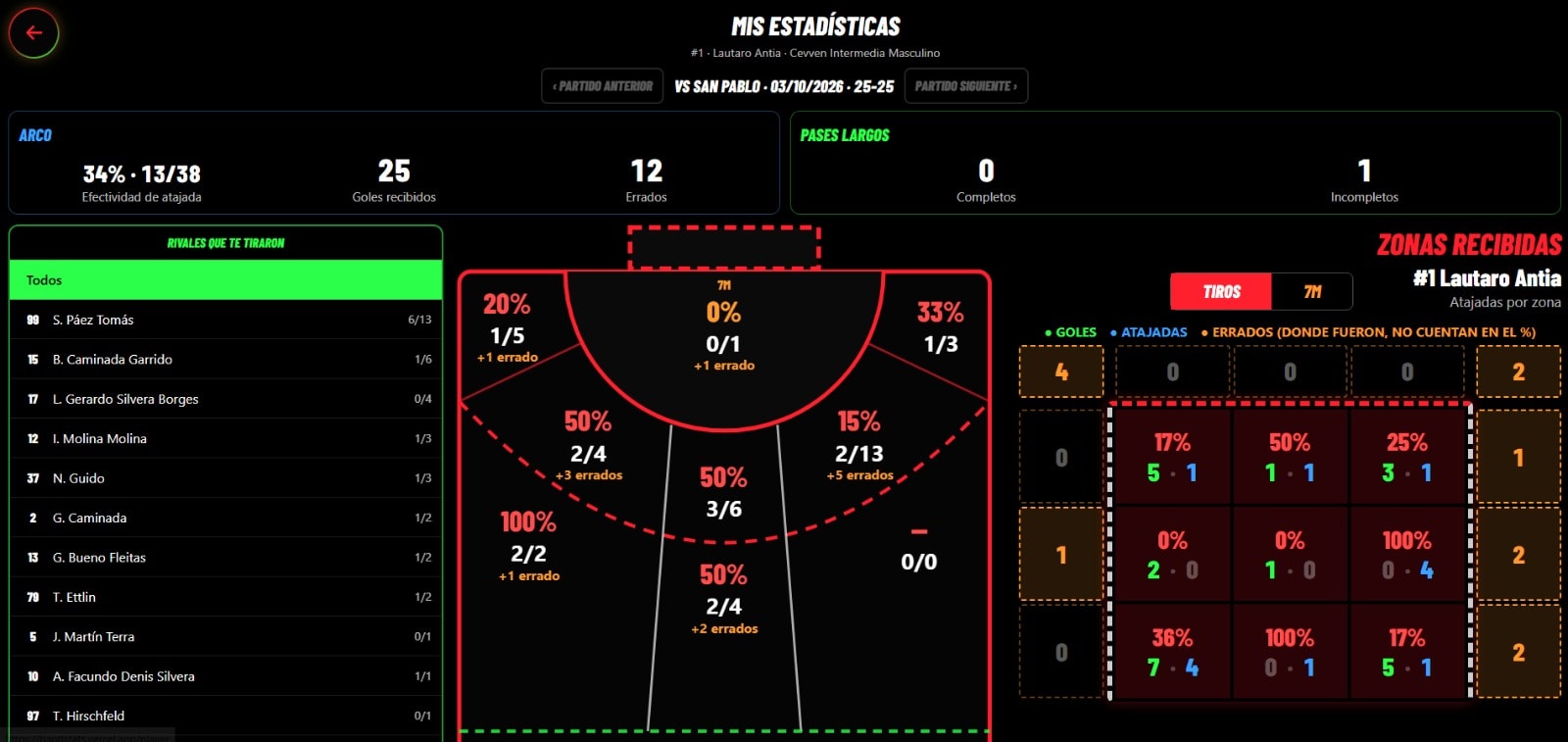
Captured events become statistics. The team view lists per-player figures across the analyzed matches, with tabs for general, player, goalkeeper and zone views.
Goalkeepers get a per-match breakdown: save percentage, goals conceded, the opponents who shot, and save rates by court zone and by area of the goal. Matches can be browsed one by one, alongside match summaries and PDF reports.
Player Portal
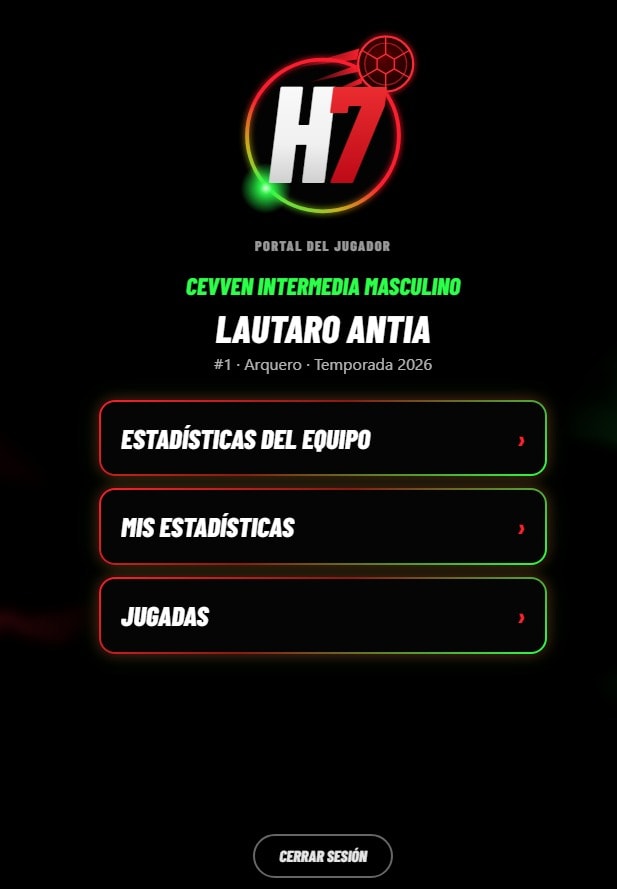
Players sign in to their own portal, with access to the team's statistics, their personal statistics and the team's plays.
Training & Tactics
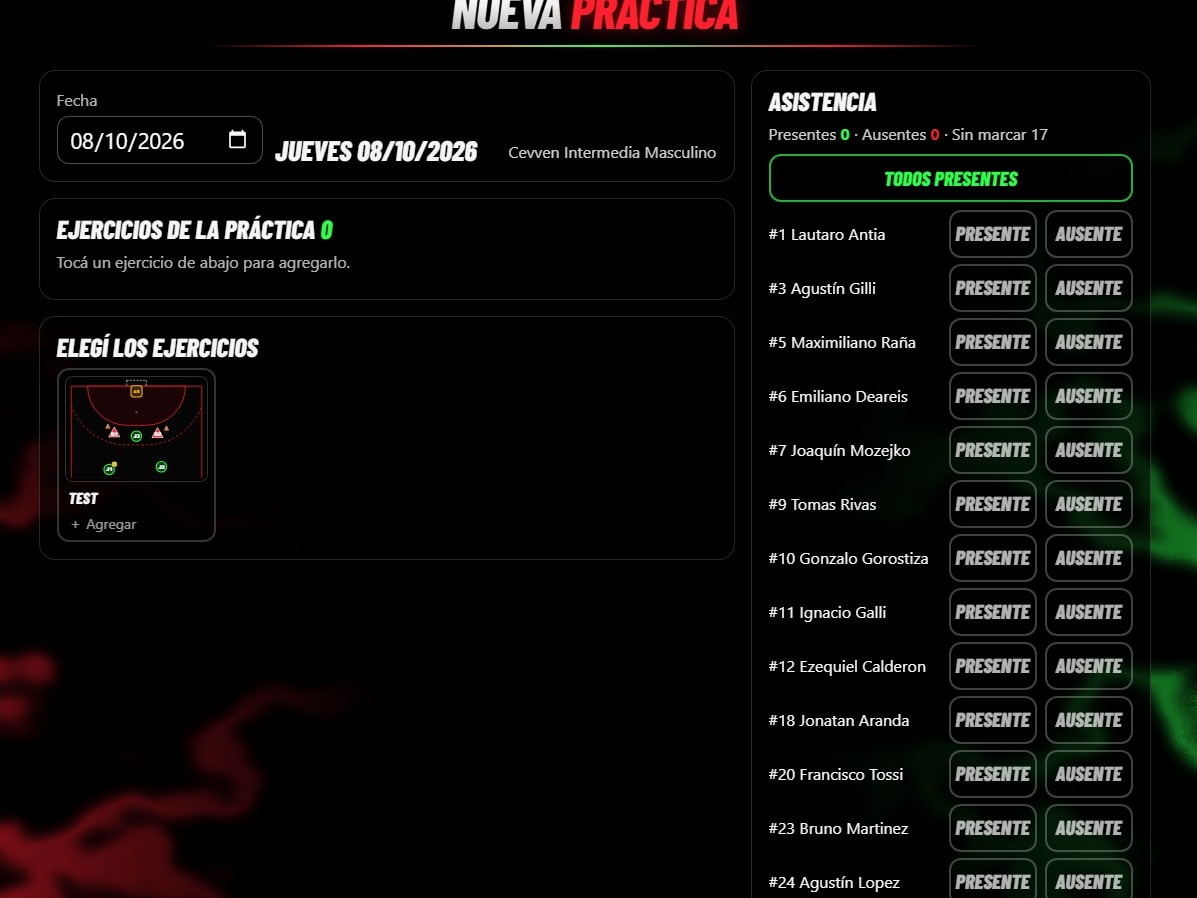
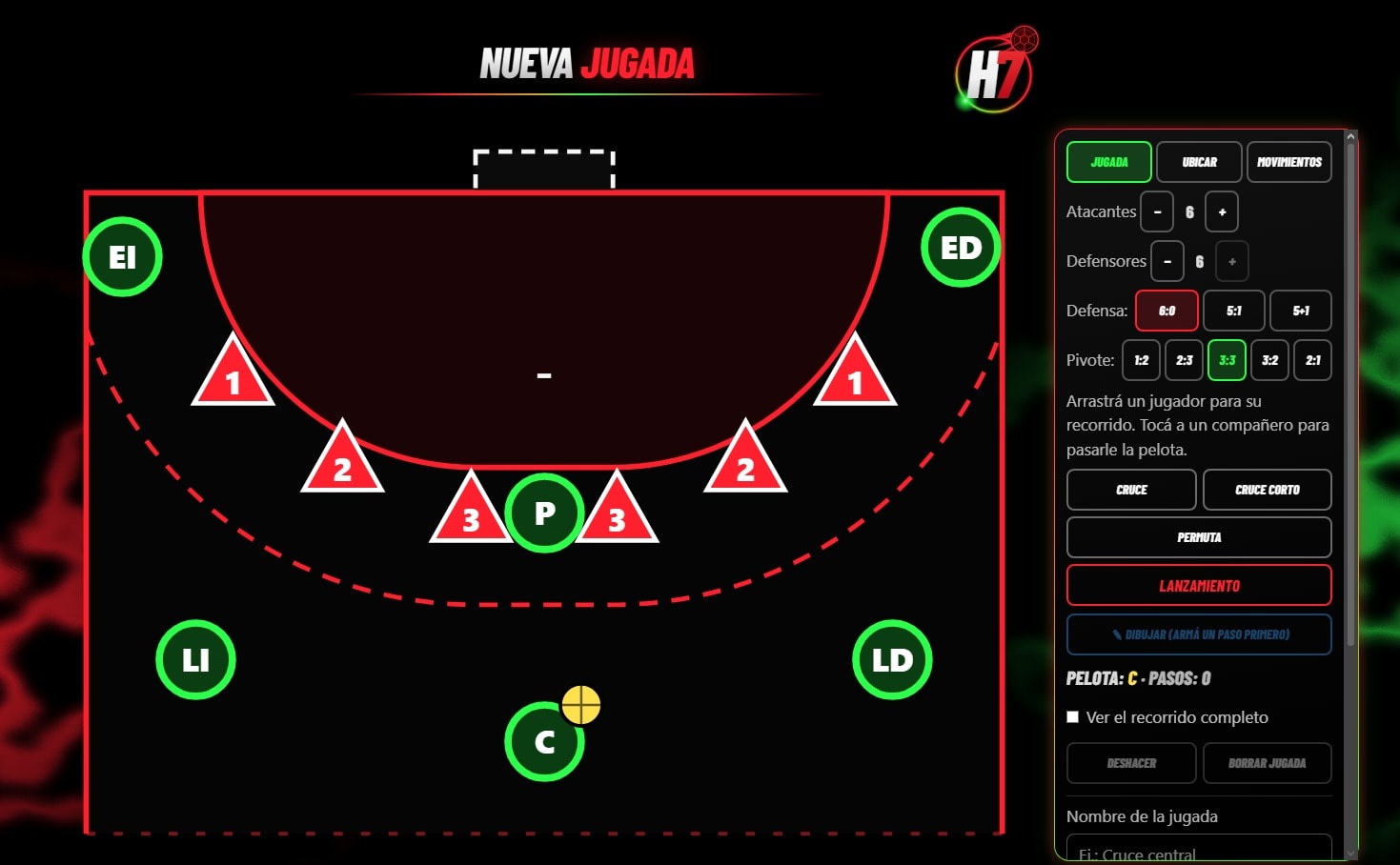
The same tool supports the training week. Practices are planned by date, built from a library of saved exercises, and used to record attendance. Exercises are set up on a court diagram with attackers, defenders, cones and balls.
Shooting drills are tracked with the same court-zone and goal-area model used in matches. Tactical plays are drawn on the court: choose the defensive system, drag players to draw their runs, pass the ball between teammates, and add crosses, switches and shots step by step. Saved plays can be played back step by step.
05Technical Architecture
Technical Architecture
The application is structured as an installable web client backed by Supabase, with an offline layer between the two so match tracking never depends on the network.
- Live tracking UI
- Local persistence
- Sync
- Supabase · PostgreSQL
- Statistics & reports
Client application
Next.js App Router application delivered as a PWA.
- Next.js 16 and React 19
- TypeScript across the codebase
- Tailwind CSS interface
Offline & synchronization
Keeps match tracking usable without a connection.
- Events captured locally during the match
- Pending changes synchronized automatically
- Installable as a Progressive Web App
Backend & data
Relational data model for the handball domain.
- Supabase
- PostgreSQL
- Teams, players, matches and events
Quality
Automated tests at different levels.
- Vitest for unit testing
- Playwright for end-to-end testing
06Technology Stack
Technology Stack
- Frontend
- Next.js 16React 19TypeScriptTailwind CSS
- Backend & Data
- SupabasePostgreSQL
- Platform
- PWA
- Testing
- VitestPlaywright
07Technical Challenges & What I Learned
Technical Challenges & What I Learned
Designing offline-first from the start
Treating connectivity as optional shaped the data flow from the beginning, rather than adding offline support as an afterthought.
Synchronizing data reliably
Captured events have to reach the backend once a connection is available without being lost or duplicated along the way.
Modeling a sport's domain
Translating handball concepts such as phases of play, goalkeeper actions and court positions into a clear relational model.
Interfaces that work under pressure
Live tracking happens while the game is in motion, so the interface has to stay fast, clear and hard to misuse.